ENGINEERING PORTFOLIO / PUBLIC-SAFE

Built at Downum Cyber.

Cybersecurity platforms, autonomous AI architecture, command centers, advanced interfaces, and experiments—published only when the work and its media are approved for the public record.

PROJECT REGISTRY / 01 PUBLIC

Explore by engineering discipline.

The registry shows fewer projects instead of manufacturing volume. Every visible record is explicitly public-safe.

FILTER / DISCIPLINE · 01 PUBLIC
Angular red RAGNAROK wolf emblem on a black fieldRAGNAROK identity / approved public-safe visual
FLAGSHIPCYBERSECURITYACTIVE DEVELOPMENT
01

RAGNAROK

A governed cyber-defense platform built around evidence, boundaries, and recovery.

RAGNAROK combines deterministic authority, autonomous defensive workflows, specialist analysis, canonical evidence, and tested recovery without placing its private control plane on the public web.

Deterministic authorityAutonomous defensive workflowsCanonical evidence and provenanceGoverned specialist analysis

COMMAND CENTERS & INTERFACES / FIRST-CLASS DISCIPLINE

Operational visuals get the main stage.

The showcase system is built for ultrawide dashboards, mobile control surfaces, detail crops, galleries, and controlled demo video. It does not expose an internal dashboard to fill the slot.

MEDIA CHANNEL / 01STATIC PUBLIC SURFACE
OWNER-APPROVED MEDIA REQUIREDPUBLIC-SAFE COMMAND CENTER CAPTURE

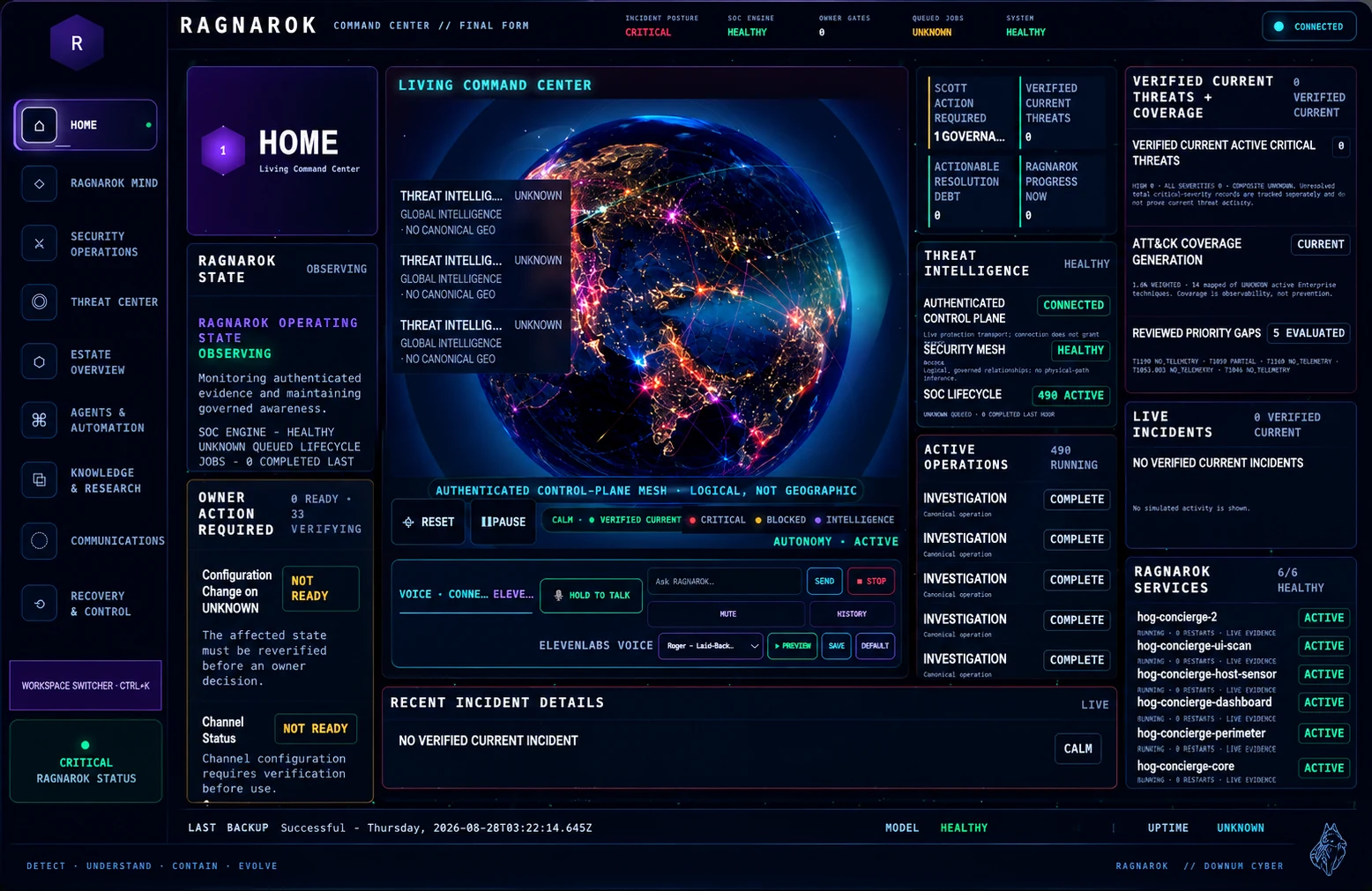
No sanitized RAGNAROK command-center image is currently published. This stage activates when an approved derivative passes review.

AUTONOMOUS AI / ENGINEERING DISCIPLINE

A system—not a reply loop.

Downum Cyber approaches autonomy as persistent, governed systems engineering. Serious autonomous work needs durable context, bounded action, visible state, and a safe way back from failure.

CONVENTIONAL BOTRequest → response

Useful for a bounded exchange, with little continuity beyond it.

AUTONOMOUS SYSTEMPersistent → stateful → governed

Built to continue work across time, tools, and surfaces within explicit limits.

This is the public framework for future approved systems—not a claim that every capability applies to every project.

  1. 01
    PURPOSE

    A durable objective and success condition keep long-running work pointed at a defined outcome.

  2. 02
    IDENTITY

    A stable operating identity defines what the system is, which role it holds, and what it is not allowed to become.

  3. 03
    MEMORY

    Curated memory preserves useful context across sessions without treating every past event as permanent truth.

  4. 04
    STATE

    Explicit state makes work inspectable, resumable, and consistent across interfaces and interruptions.

  5. 05
    TOOLS

    Bounded tools let a system act on approved surfaces instead of stopping at generated text.

  6. 06
    PERMISSIONS

    Capabilities receive the minimum authority needed for the current task, not blanket access.

  7. 07
    GOVERNANCE

    Policy, evidence, provenance, and deterministic gates constrain consequential decisions.

  8. 08
    OBSERVABILITY

    Events, decisions, and tool effects stay visible enough to inspect and challenge.

  9. 09
    RECOVERY

    Failure paths, checkpoints, and human control make persistent operation survivable.

PRESENTATION SYSTEM

Different work gets a different frame.

Project records support media, architecture, capabilities, milestones, research, Build Log associations, current status, and what comes next. Only populated fields render.

01FLAGSHIP

Deep system story, architecture, milestones, and approved media.

02VISUAL SHOWCASE

Ultrawide visuals lead; technical context follows.

03FEATURED

A focused project narrative with selected capabilities.

04STANDARD

A concise public brief for bounded engineering work.

05LAB

Experimental work with an unmistakable non-production status.

PUBLIC MEDIA REVIEW

Visual proof without accidental exposure.

Every screenshot, animation, and video must be sanitized, optimized, classified, and reviewed before it enters a public project record.

See the experimental publication lane →
  1. 01Network addresses, private hostnames, routes, and sensitive ports
  2. 02Credentials, tokens, keys, account identifiers, and workspace identifiers
  3. 03Private messages, channels, notifications, browser tabs, and terminal history
  4. 04Filesystem paths, database identifiers, support cases, and incident details
  5. 05Private project identities, QR codes, temporary development information
  6. 06EXIF, geolocation, and unnecessary embedded metadata